





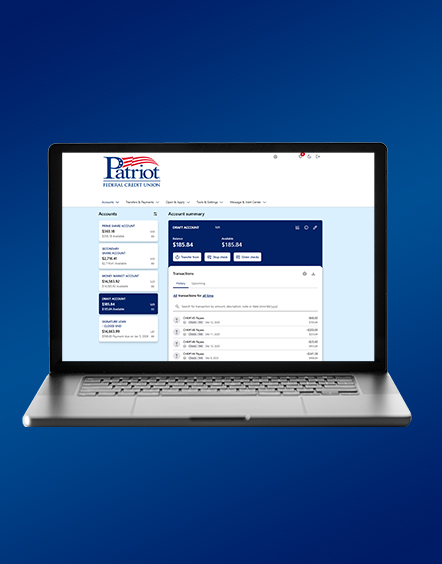
Online Banking & Mobile App Upgrade
Fraud Awareness
We are seeing an increase in scams, especially during our upcoming digital banking upgrade, as fraudsters may try to use this change to trick you into sharing sensitive information. Please remember, Patriot will never contact you unexpectedly to ask for usernames, passwords, account numbers, or verification codes. If you receive a suspicious call, text, or email, do not respond—hang up, delete it, and contact us directly using the number on patriotfcu.org.
A Fresh New Digital Banking Experience is Here!
What’s New?
- Streamlined, modern navigation
- Increased online banking timeout to 5 minutes to reduce false logouts
- Enhanced security protections
- Security images, phrases, and challenge questions are being replaced with one-time passcode (OTP) multi-factor authentication (MFA)
- First-time sign-in on a new browser or device will require OTP verification
- A consistent experience across mobile and online banking, with the same menu and services (mobile deposit remains available in the app only)
What’s New in the Mobile App?
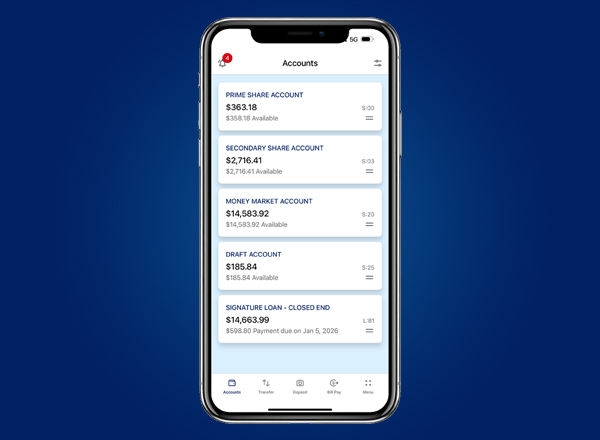
- Security and account alerts
- Stop payments
- Hide and sort account options
- Recurring transfers
What’s New in Online Banking?
- Card controls
- Financial calculators
- Locations and hours
What to expect at first login:
When logging into the Mobile App on or after June 2nd for the first time, you will be prompted to update your Patriot Mobile App to ensure you have access to the newest features and enhancements. If you have automatic updates enabled on your device, this may happen automatically without any action needed.
A few important changes to note
- Passwords will no longer be saved directly within the app.
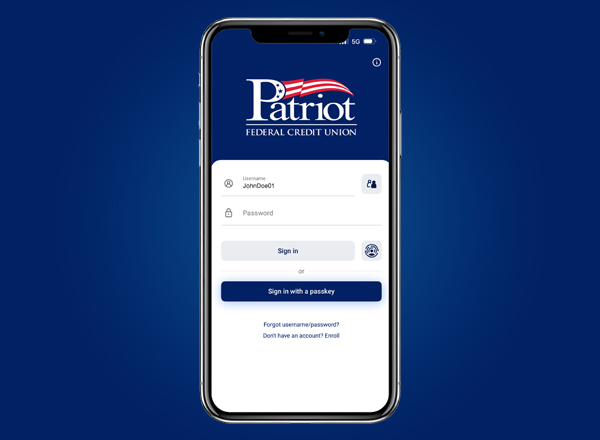
- You can choose to log in using a passkey, Face ID, or fingerprint (biometrics), or continue entering your password manually.
- If you currently use biometrics, those settings will carry over to the new app.
- Utilize patriotfcu.org to access online banking by clicking Login in the top right hand corner, the website address will be changing.
- The Mobile App will no longer be available on wearable devices.
We invite you to stop by any branch—our team is eager and excited to assist you through this transition and help you make the most of these new features.
We’re confident this upgrade will provide a more secure and user-friendly digital banking experience, and are so excited for you to experience it!
Online Banking Digital Upgrade FAQs
A passkey is a secure, password-free way to sign in to Online Banking and the Mobile App. It is a cryptographic credential created on your trusted device and linked specifically to Patriot Federal Credit Union, so it cannot be used on any other website.
Passkeys are securely stored in your device’s keychain or password manager and use your device’s built-in authentication, such as Face ID, Touch ID, a fingerprint, or a PIN, to verify your identity. Because passkeys can’t be phished, guessed, or stolen like traditional passwords, they provide a faster, easier, and more secure sign-in experience. If you use a password manager or cloud keychain, your passkeys can also sync securely across your trusted devices.
You can create a passkey in one of two ways:
- When prompted: After signing in, select Create a New Passkey from the pop-up message and follow the on-screen instructions.
- From your settings: Navigate to Profile & Security > Passkeys, then select + Add a Passkey and follow the prompts to complete the setup.
Available sign-in options include:
- Username and Password: Sign in using your unique username and password. This option is available in both Online Banking and the Mobile App.
- Biometric Sign-In (Mobile App Only): Use your device’s built-in biometric authentication, such as Face ID or a fingerprint, for a fast and secure sign-in experience. If you change your password, you’ll need to enter your new password once before biometric sign-in can be used again.
- Passkey: Use a secure, password-free sign-in method stored on your trusted device. Passkeys provide a fast, convenient, and highly secure way to access your account without entering a password.
The Patriot Mobile App requires an operating system of iOS 16 or higher (iPhone 8 or newer) and Android 12 or higher. Please check your phone settings.
Online and Mobile Banking now offer three options for login authentication: password, biometrics, or passkey. Each option provides unique benefits to suit different needs and preferences.
1. Username and password – This method requires members to manually input their username and password each time they log in.
2. Biometrics – Available only for mobile banking, this method allows members to use the unique physical traits captured by their device (like a fingerprint or face ID) to authenticate their identity. This method offers a high level of security and convenience, as it eliminates the need to remember or manually input passwords. If a member changes their password, they will need to re-enter it for biometrics to work again.
3. Passkey – a passkey is a cryptographic key – a unique digital code that securely identifies a member. Members do not need to memorize a passkey, as their device manages the storage and application of passkeys. This authentication method can be used for both mobile and online banking. If a member changes their password, the passkey will still work without interruption.
We have updated our login and retrieval settings to enhance security. As such, we have removed several features that are no longer standard practice in the industry.
We have updated our login and retrieval settings to enhance security. As such, we have removed several features that are no longer standard practice in the industry.
We have updated our login and retrieval settings to enhance security. As such, we have removed several features that are no longer standard practice in the industry.
The link within the Password Reset email has been replaced with one-time PIN multifactor authentication (OTP MFA) via selected delivery method. When requesting a password reset, members will receive this OTP MFA. Members will then be prompted to key in the 6-digit OTP MFA within their mobile app or browser. Members will still receive the Password Reset email; however, it will only be a confirmation email stating the password has been reset.
With the upgrade, members may have to go back into the settings and Enable Quick Balance; however, Quick Balance is not compatible if the member logs in with a passkey.
Patriot’s contact information and routing number can be found in the About section of the Settings menu.
Members have three options for alerts to be delivered: Email, SMS, and Push Notifications. All alerts will be delivered via the selected method.
Disclosures
-
Insured by NCUA
-
Equal Housing Lender